
Most website audit checklists are written by people who don’t run audits. You’re left with a wall of technical jargon and no idea what to fix first.
You know your site isn’t performing the way it should, but you don’t know what’s broken or where to start. That’s exactly what a website audit answers.
I run website audits every week. I’ve done this since 2009 at Creative Options Marketing, working with businesses across Colorado. This website audit checklist is what I actually check on client sites. I use the same process for a 20-page site or a 2,000-page site. It covers technical SEO, on-page optimization, content, user experience, backlinks, and AI visibility. A full audit takes 1-2 days depending on site size.
You can use this checklist to audit your own site. If you’ve been wondering how to perform a website audit without hiring someone, this is the process. Or you can see what a professional audit looks like before you bring in outside help.
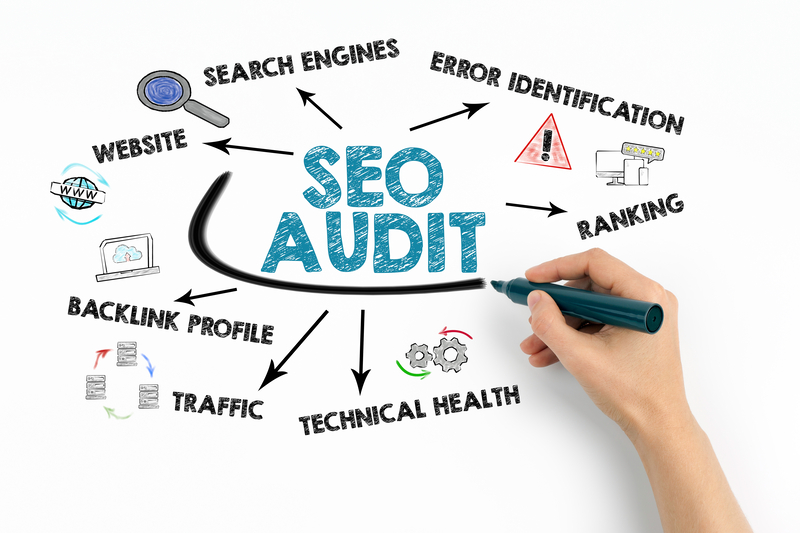
- Six areas to audit: technical SEO, on-page optimization, content quality, user experience, backlinks, and AI visibility.
- Most common problems: technical errors and missing meta information. Found on 80%+ of sites.
- Professional audit cost: ~$500, takes 1-2 days, includes a prioritized action plan.
- DIY option: Free tools like Google Search Console and PageSpeed Insights cover the basics.
- Audit frequency: Full audit twice a year minimum, quick checks quarterly.
01What a Website Audit Actually Is (and What It Isn’t)
A website audit is a structured review of your site’s health. It checks if search engines can find your pages, if your content is performing, and if visitors can use your site without friction.
It is not a redesign. It’s not a keyword report. And it’s not a one-time project you can forget about.
You need a website audit when:
- Your organic traffic has dropped and you don’t know why
- You’re launching a new website or migrating to a new platform
- You haven’t reviewed your site in six months or more
- You switched agencies and want to know what the last team missed
- You’re investing in SEO or paid ads and want to make sure the foundation is solid
- You’re comparing digital marketing companies in Denver and want to evaluate your current position
A good audit gives you a prioritized list of what to fix, ranked by impact. Not a 40-page PDF full of charts nobody reads.
02Website Audit Checklist: The 6 Things to Check
This is the same structure I use on every client engagement. Each section covers what to check, what tools to use, and what I find most often.
1. Technical SEO
Technical SEO is the foundation. If search engines can’t crawl and index your site, nothing else matters. This is the most important part of any website technical audit checklist.
What to check:
- Crawlability: Can Google access all your important pages? Check Google Search Console under “Pages” for indexing errors.
- XML sitemap: Does it exist, is it submitted to Google Search Console, and does it reflect your current site structure?
- Robots.txt: Is it accidentally blocking pages you want indexed? Visit yoursite.com/robots.txt to check.
- HTTPS/SSL: Your entire site should load on HTTPS. Mixed content warnings (HTTP images on HTTPS pages) count as a problem.
- Core Web Vitals: Google measures three metrics: Largest Contentful Paint (LCP) for loading speed, Interaction to Next Paint (INP) for responsiveness, and Cumulative Layout Shift (CLS) for visual stability. Note: Google replaced First Input Delay (FID) with INP in March 2024. If your audit guide still references FID, it’s outdated.
- Site speed: Test with Google PageSpeed Insights. Aim for “Good” Core Web Vitals scores and fix the biggest speed blockers first. Don’t chase a perfect score. Focus on what actually slows the page down.
- Broken links: Internal and external. Even a few broken links signal neglect to Google.
- Canonical tags: Confirm each page points to the preferred version of the URL and isn’t accidentally canonicalized to something else. Missing or incorrect canonicals cause duplicate content problems. Common on sites with URL parameters, pagination, or staging environments that went live.
- Schema markup: At minimum, check for Organization schema and Local Business schema (if you serve a local market). We’ll go deeper on schema in the AI visibility section.
- Redirect chains: One redirect is fine. Two or three stacked redirects slow down crawling and lose link equity.
- Orphan pages: Pages with no internal links pointing to them. Google has a hard time finding these, and they rarely rank. Screaming Frog can surface orphan pages when you combine crawl data with your sitemap or analytics. If you have valuable content that nobody links to from within your own site, it’s essentially invisible.
What I find most often: Broken redirects from old site migrations, pages accidentally set to noindex, and crawl errors that have been silently blocking pages from Google for months.
Tools: Google Search Console, Google PageSpeed Insights, SE Ranking site audit, Screaming Frog.
2. On-Page SEO
On-page SEO is the metadata that tells Google what each page is about. This part of the seo website audit checklist catches the most common problems: missing or duplicate meta information.
What to check:
- Title tags: Every page needs a unique title under 60 characters that includes the target keyword.
- Meta descriptions: Unique for each page, under 155 characters, written to get clicks from search results.
- H1 tags: One H1 per page. It should include your primary keyword and clearly describe the page content.
- Header hierarchy: H2s and H3s should be used in logical order. Don’t skip from H1 to H4.
- Image alt text: Every image needs descriptive alt text. Not keyword stuffing, just a plain description of what the image shows.
- URL structure: Short, descriptive, lowercase, with hyphens between words. No random numbers or parameter strings.
What I find most often: Duplicate title tags across multiple pages, meta descriptions that are either missing or copy-pasted from other pages, and multiple H1 tags on a single page (common with poorly configured WordPress themes).
Tools: SE Ranking site audit, Screaming Frog, Yoast SEO or Rank Math (for WordPress sites).
3. Content Quality
Google rewards content that’s helpful, accurate, and written by someone with real experience. Your audit should check if your content meets that standard or falls short.
What to check:
- Thin content: Pages with fewer than 300 words rarely rank and may drag down your site’s overall quality signals.
- Duplicate content: Check for identical or near-identical content across your own pages (internal duplication) and against other sites (external duplication).
- Outdated information: Blog posts referencing 2023 or 2024 data, old pricing, or discontinued services.
- Keyword cannibalization: Are multiple pages on your site competing for the same keyword? This splits your ranking potential and confuses Google about which page to show.
- E-E-A-T signals: Does your content show Experience, Expertise, Authoritativeness, and Trustworthiness? Author bios, cited sources, first-person experience, and real case studies all count.
- Content gaps: What are your competitors covering that you’re not? Run a competitive analysis to find topics your audience searches for that your site doesn’t address.
- Search intent alignment: Check if your page format matches what Google is ranking for your target keyword. If the top 5 results are all how-to guides and your page is a sales pitch, you have an intent mismatch. Your content format (guide, list, comparison, tool) needs to match what the SERP rewards.
- AI-generated content quality: If your site uses AI-written content, check if it reads naturally and adds real value. Google doesn’t penalize AI content specifically, but it does penalize low-quality content regardless of how it was created. Pages that sound robotic, repeat the same phrases, or lack a clear point of view are a liability.
What I find most often: Blog posts from 2-3 years ago that haven’t been updated, thin service pages with 150 words and a contact form, and no author attribution anywhere on the site.
Tools: SE Ranking competitive analysis, Google Search Console (performance report shows which pages get zero clicks).
4. User Experience
Engagement metrics like bounce rate and session duration help you spot UX problems that hurt conversions. Poor UX can cut conversions even when rankings are solid.
What to check:
- Mobile responsiveness: Does your site work properly on phones and tablets? Beyond basic responsiveness: do the menus work, are buttons tappable, and is text readable without pinching?
- Navigation: Can a first-time visitor find what they need in 2-3 clicks?
- Page layout: Is there enough white space? Are paragraphs short enough to read on mobile?
- CTA placement: Is it clear what you want the visitor to do? Is the call-to-action visible without scrolling?
- Accessibility basics: Sufficient color contrast, readable font sizes (minimum 16px), descriptive link text.
- Local UX (for local businesses): Is your phone number clickable on mobile? Is your address correct? Is your Google Maps embed working? Is your Name, Address, and Phone number (NAP) consistent across the site?
- Google Business Profile: For any Denver or Colorado business targeting local customers, your GBP and your website should match: name, category, hours, and URL. If your GBP category doesn’t match your primary service, you’re losing local pack visibility. Mismatches between your GBP and your website can drag down local rankings.
What I find most often: Call-to-action buttons buried at the bottom of long pages, mobile menus that don’t expand properly, and phone numbers displayed as plain text instead of clickable links. Sites that pass every technical check but have no clear conversion path. You’d be surprised how often a site ranks well but doesn’t generate leads because the UX makes it hard to take action.
Tools: Google PageSpeed Insights (mobile tab), manual testing on your actual phone, Google Analytics 4 (engagement metrics).
5. Backlink Profile
Backlinks remain one of Google’s strongest ranking signals. Your audit should check both the quality of links pointing to your site and where you have opportunities to build new ones.
What to check:
- Total backlinks and referring domains: More referring domains (unique sites linking to you) matters more than total link count.
- Toxic or spammy links: Links from link farms, foreign spam sites, or directories that exist only for link building. These can hurt your rankings.
- Anchor text distribution: A natural backlink profile has varied anchor text: your brand name, generic phrases like “click here,” and some keyword-rich anchors. If 80% of your anchors are exact-match keywords, that looks manipulative.
- Competitor comparison: How does your backlink profile compare to the sites outranking you? This shows you the gap you need to close. If you’re working with a Denver SEO services provider, they should be running this comparison for you.
- Lost links: Have any quality sites that used to link to you removed those links? This happens when you change URLs without redirects.
What I find most often: Spammy backlinks left over from previous SEO vendors who used low-quality link building tactics, and newer pages with zero backlinks because no outreach was ever done.
Tools: SE Ranking backlink checker, Google Search Console (links report).
6. AI and Search Visibility
This is new to the audit checklist in 2026, but it matters. Google’s AI Overviews now appear on a significant percentage of searches. AI answer engines like ChatGPT and Perplexity pull content from the web and cite sources. If your site isn’t visible in these systems, you’re losing ground.
What to check:
- AI Overview presence: Search your target keywords in Google. Is your content being pulled into AI Overviews? Are your competitors? Do this in an incognito window. AI Overviews vary by user, location, and search history.
- AI engine citations: Search for your brand and your key topics in ChatGPT and Perplexity. Are they referencing your content?
- Structured data: Schema markup helps search engines and AI systems understand your content. Check for Organization schema, FAQ schema (which can trigger People Also Ask appearances), Article schema, Local Business schema, and HowTo schema for instructional content. Missing schema means missing opportunities for rich results in Google.
- FAQ content: Pages with clear question-and-answer formatting are more likely to be cited by both Google’s People Also Ask and AI systems.
- Entity optimization: Does Google understand what your business is and what topics you’re authoritative on? Search your brand name and see what Google shows in the knowledge panel.
AI-generated answers reduce clicks on traditional search results. Your audit should check if your content is structured in a way that AI systems can parse and cite. This is the newest layer of search visibility, and most audit guides don’t cover it yet.
03Website Audit Cost: What You’ll Pay (And What You Get)
A professional website audit at Creative Options Marketing costs $500.
Here’s what that includes:
- Full technical crawl and error identification
- On-page SEO review across all indexed pages
- Content quality assessment
- Backlink profile analysis
- Competitive benchmarking against your top 3 competitors
- A prioritized action plan ranked by impact
We don’t dump a 40-page report full of charts and leave you to figure it out. You get a ranked list of what to fix first, what can wait, and what’s actually costing you traffic and leads. We walk you through it.
Most clients use the audit as a starting point, then decide which fixes to handle in-house and which to hand off to us.
The audit takes 1-2 business days depending on site size.
Can you do it yourself? Yes, with time and the right tools. Google Search Console and PageSpeed Insights are free. Screaming Frog gives you 500 URLs free. SE Ranking starts at $55/month. Budget half a day for a small site, a full day or more for anything over 100 pages.
The tradeoff is simple. A DIY audit costs you time but saves money. A professional audit costs $500 but gives you experienced eyes that know what to prioritize and what problems look like after seeing hundreds of sites.
04What We Find on 80% of Website Audits
After 16 years of running audits, certain problems show up almost every time. If your site hasn’t been audited recently, there’s a good chance you have several of these.
Missing or duplicate meta titles and descriptions. This is the #1 finding. Most sites have pages with no meta description at all, or the same title tag on 10 different pages. Each page needs unique metadata.
Broken internal links. Links pointing to pages that no longer exist, usually from old blog posts or site restructuring. Every broken link is a dead end for both users and Google.
Uncompressed images. Large image files are the most common cause of slow page speed. A single uncompressed hero image can add 3-4 seconds to your load time.
No Google Search Console connected. Some businesses don’t even have Search Console set up. This means Google has been sending them error reports and performance data, and nobody has been reading it.
Pages accidentally set to noindex. This happens more than you’d think. A developer adds a noindex tag during staging and forgets to remove it before launch. I’ve found sites where 30%+ of their pages were invisible to Google.
No schema markup. Structured data helps Google show rich results (star ratings, FAQ dropdowns, business info). Most small business sites have none.
No clear conversion path. The site ranks, it gets traffic, but there’s no obvious next step for the visitor. No prominent CTA, no contact form above the fold, no clickable phone number. This is where your site is leaking leads. A website audit overlaps with a CRO audit here. If your site isn’t converting visitors into leads, technical SEO alone won’t fix it.
DTC (Denver Tech Center) B2B company, 120 pages: We found 37 pages that had been accidentally noindexed during a site migration. The client had no idea. Those pages were rebuilt, reindexed, and within 90 days the site saw a measurable increase in organic traffic from pages that had been invisible for over a year.
If any of these sound familiar, a professional audit will tell you exactly how bad it is and what to fix first.
05Tools We Use to Run a Website Audit
You don’t need 15 tools. Here’s what we actually use:
| Tool | What It Does | Cost |
|---|---|---|
| Google Search Console | Indexing status, crawl errors, search performance data | Free |
| Google PageSpeed Insights | Core Web Vitals, speed testing, mobile performance | Free |
| Google Analytics 4 | Traffic sources, user behavior, engagement metrics | Free |
| SE Ranking | Site audit, keyword tracking, backlink analysis, competitive research | Starts at $55/month |
| Screaming Frog | Deep technical crawl, broken links, meta data export | Free (500 URLs) / Paid |
We use SE Ranking as our primary platform because it combines site auditing, rank tracking, and competitive analysis in one tool. It’s more cost-effective than Semrush or Ahrefs for the agency work we do, and the reporting is clean enough to share directly with clients.
06How Often Should You Audit Your Website?
Most businesses don’t need a monthly audit. They need one thorough audit and then a system to maintain what was fixed. A full monthly audit usually isn’t necessary. After a thorough audit, most sites do better with routine monitoring and targeted fixes.
Full audit: Twice a year at minimum. Quarterly if you’re actively investing in SEO or running paid campaigns.
Quick checks: Monthly. Look at Google Search Console for new crawl errors, check your Core Web Vitals, and scan for broken links.
After major changes: Always run an audit after a site redesign, platform migration, URL restructuring, or a major Google algorithm update.
The sites that perform best are the ones that treat audits as maintenance, not emergencies. By the time you notice a traffic drop, the problem has usually been there for months.
Frequently Asked Questions
A website audit is a review of your site’s technical health, SEO, content quality, user experience, and backlink profile. It identifies problems that hurt your search rankings and gives you a prioritized fix list.
Professional audits range from $500 to $5,000+ depending on site size and scope. At Creative Options, a full audit is $500 and includes a prioritized action plan. A $500 audit that finds a noindex problem on your top 10 pages pays for itself in the first month.
A professional audit takes 1-2 business days. A DIY audit can take half a day for a small site, or several days for larger sites.
Yes. Google Search Console, PageSpeed Insights, and Screaming Frog’s free tier give you the basics. The limitation is knowing what to prioritize. An experienced auditor has seen the patterns and knows which issues actually move the needle.
An SEO audit focuses specifically on search optimization: keywords, rankings, backlinks, and technical SEO. A website audit is broader and includes UX, content quality, conversion paths, and sometimes accessibility. In practice, a good website audit covers both.
Full audit twice a year. Quick checks (crawl errors, speed, broken links) monthly or quarterly. Always after major changes like redesigns or migrations.
Yes. In 2026, Google’s AI Overviews appear on a growing percentage of searches. AI answer engines like ChatGPT and Perplexity are pulling content from the web and citing sources. If your content isn’t structured for AI systems to parse and cite, you’re losing visibility to competitors who are. This is the newest part of the audit checklist, and most guides haven’t caught up yet.
Ready for a Professional Website Audit?
Find out exactly what’s holding your site back, what it’s costing you, and what to fix first. You get a prioritized action plan showing what to fix and why. $500. Results in 1-2 business days.
Schedule Your Website AuditOr email David directly at david@creativeoptionsmarketing.com
David Drewitz is the founder of Creative Options Marketing, a Denver-based digital marketing agency serving businesses across Colorado since 2009. He specializes in SEO strategy, website audits, content marketing, and integrated digital campaigns for healthcare, hospitality, and B2B technology companies. Connect with David on LinkedIn.