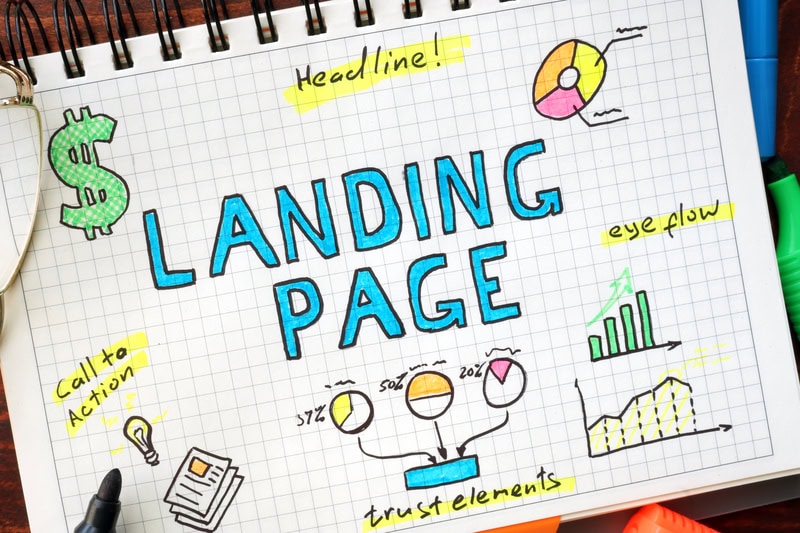


Why is my website not converting? If you’re asking that question, you’re probably staring at analytics that show real traffic and a contact form that stays empty.
You’re not imagining things. This is one of the most common problems we see when auditing websites for service businesses across Colorado and nationwide. The traffic is real. The leads aren’t.
Most of the time, the cause isn’t one big disaster. It’s a handful of smaller issues stacked on top of each other. A confusing homepage. A form that asks too many questions. A page that takes four seconds to load on someone’s phone. Each one shaves off a few potential leads until you’re left with website traffic but no leads.
We’ve audited hundreds of sites over the past 15 years. These are the 9 signs we see most often, and they’re almost always fixable without a full rebuild. We’ve ranked them by impact so you know where to start.
If you only check three things, start here: your CTA clarity (Sign 1), your homepage messaging (Sign 5), and your traffic quality (Sign 6). These three show up more than anything else in our audits. And if you want the one tip most conversion advice ignores entirely, skip to Sign 9.
- Traffic without leads is a conversion problem, not a traffic problem. If your website gets visitors but no inquiries, something on your site is creating friction before people take action.
- Weak CTAs, unclear messaging, and wrong-fit traffic are the top three culprits. In our experience, roughly 7 out of 10 service business websites we audit have at least one of these issues.
- Each sign is ranked by impact so you can prioritize what to fix first: High Impact, Medium Impact, or Context-Dependent.
- Most conversion problems don’t require a redesign. They’re fixable with targeted changes to your existing site.
SIGN 01 · HIGH IMPACTIs Your Call-to-Action Telling People What to Do Next?
This is the number one conversion killer we find in audits. The site looks fine, the content reads well, but there’s no clear next step for the visitor.
Professional services firm, Cherry Creek (Denver): Homepage CTA said “Submit” at the bottom of a long contact form buried below a brand statement. After changing the button text to “Get My Free Consultation” and moving it above the fold, monthly form submissions increased noticeably within the first 30 days.
A call-to-action (CTA) needs to do three things: be visible, be specific, and match what the visitor is ready to do. “Submit” is not a CTA. “Get Your Free Website Review” is.
Here’s what we typically find on sites that aren’t converting:
- CTAs buried below the fold or hidden in the footer
- Vague button text like “Learn More” or “Click Here”
- Too many CTAs competing on one page, which confuses visitors instead of guiding them
- No CTA at all on key landing pages
The fix: Pick one primary action per page. Place a CTA above the fold and repeat it at least once further down. Use action-specific language that tells visitors exactly what they’ll get. And here’s a contrarian point worth noting: more CTAs is not always better. We’ve seen conversions improve when clients go from five CTAs on a page to one clear, well-placed button.
SIGN 02 · HIGH IMPACTIs Your Website Too Slow to Convert?
Speed isn’t just a technical metric. It’s a trust signal. When your page takes more than three seconds to load, over half your visitors leave before they see a single word of your content (Google/SOASTA Research).
Sites loading in one second had conversion rates three times higher than sites loading in five seconds. (Portent)
That’s not a marginal difference. That’s the gap between a site that generates leads and one that doesn’t.
In 2026, Google evaluates your speed through Core Web Vitals, specifically Largest Contentful Paint (LCP). Your target is under 2.5 seconds. Anything above that, and Google considers your page experience “poor,” which affects both rankings and conversions.
The fix: Run your site through Google PageSpeed Insights (free). Focus on image compression, server response time, and reducing unused JavaScript. If you’re on WordPress, caching plugins and a quality hosting provider can make a big difference. These changes often take a few hours, not weeks.
SIGN 03 · HIGH IMPACTDoes Your Site Work on the Phone in Someone’s Hand?
Mobile devices now account for roughly 60% of all web traffic globally (StatCounter, 2025). In the U.S., it’s closer to 54%. But here’s the problem: mobile visitors convert at about half the rate of desktop visitors (Retail Touchpoints Research).
That gap isn’t because mobile users don’t want to convert. It’s because most websites make it harder for them to do so. Tiny buttons, forms that require pinch-zooming, and menus that don’t work on smaller screens all push people away.
For Colorado businesses, this is worth paying attention to. Someone in Lakewood searching for your services on their phone between meetings isn’t going to fight a clunky mobile layout. They’ll hit the back button and call your competitor.
The fix: Test your site on an actual phone, not the responsive preview in your browser. Tap every button. Fill out every form. If anything frustrates you, it’s frustrating your visitors ten times more. Prioritize thumb-friendly tap targets, simplified mobile navigation, and forms that work without horizontal scrolling.
SIGN 04 · MEDIUM IMPACTCan Visitors Find What They Need in Under 10 Seconds?
Poor navigation is a silent conversion killer. It doesn’t announce itself like a slow page or a missing CTA. But if a visitor can’t figure out where to go within a few seconds of landing on your site, they leave.
We regularly audit sites where the services page is buried three clicks deep, or the contact page isn’t in the main menu at all. One client had their phone number only in a PDF footer that required a download to see.
The fix: Your main navigation should include direct links to your most important pages: services, about, contact. Use clear labels, not clever ones. “What We Do” is fine. An abstract brand phrase nobody understands is not. For larger sites, add a search function. According to research from Econsultancy, visitors who use site search convert at nearly double the rate of those who don’t.
SIGN 05 · HIGH IMPACTDoes Your Homepage Explain What You Do in Five Seconds?
If a first-time visitor lands on your homepage and can’t answer “What does this company do, and can they help me?” within five seconds, your messaging has a problem.
This is different from having bad copy. Many sites we audit have well-written content. The problem is that the value proposition is vague, buried, or speaks in industry jargon the customer doesn’t use.
We see this often with service businesses that serve multiple industries. They try to speak to everyone and end up speaking to no one. The homepage reads like a mission statement instead of an answer to the visitor’s question.
The fix: Your above-the-fold content should answer three questions: What do you do? Who do you do it for? What should I do next? Test it by showing your homepage to someone unfamiliar with your business for five seconds, then ask them what you do. If they can’t answer, rewrite your headline.
SIGN 06 · CONTEXT-DEPENDENTAre You Attracting the Wrong Visitors?
Sometimes the problem isn’t your website. It’s who’s landing on it.
If your SEO, PPC, and content marketing efforts are driving traffic for the wrong keywords, you’ll get visitors who were never going to convert in the first place. A Denver accounting firm ranking for “free tax calculator” will get plenty of clicks and zero clients.
This is the difference between traffic volume and traffic quality. High-quality traffic comes from keywords that match buyer intent, not search volume alone.
The fix: Review your Google Search Console data. Look at the queries driving traffic to your site. If most of them are informational (how-to, what-is) and your goal is lead generation, there’s a mismatch between your content and your conversion goals. You want keywords with commercial or transactional intent, the kind where someone is actively looking for a solution.
SIGN 07 · HIGH IMPACTDoes Your Website Look Like a Business That Can Be Trusted?
People don’t fill out contact forms on websites they don’t trust. And trust is built (or broken) in seconds.
The most common trust killers we find during website conversion audit steps:
- No reviews, testimonials, or case studies visible on key pages
- Outdated copyright dates (nothing says “abandoned” like “© 2019”)
- No physical address or phone number
- Stock photos that look generic
- Missing SSL certificate (your URL should start with https, not http)
Social proof is one of the fastest conversion levers you can pull. It doesn’t require a redesign or a developer. It requires asking your best clients for a testimonial and putting it where visitors can see it.
The fix: Add at least one testimonial or review to every high-traffic page. Display any relevant certifications, awards, or partner logos. Show a real team photo if possible. And update your copyright year. Seriously, it takes 30 seconds and removes an instant credibility red flag.
SIGN 08 · MEDIUM IMPACTAre Your Forms Asking Too Much Too Soon?
This one is specific to lead generation sites, and it’s a problem we see constantly.
A visitor is interested enough to click your CTA. They land on a form. It asks for their name, email, phone number, company name, company size, annual revenue, project timeline, budget range, and how they heard about you.
They close the tab.
Reducing form fields from four to three increased conversions by nearly 50%. (HubSpot)
The math is simple: ask less, get more.
The fix: For a first-touch conversion, you need a name, an email, and maybe a phone number. That’s it. You can qualify the lead on the follow-up call. If you absolutely need more fields, use a multi-step form that breaks the questions into smaller chunks. The psychological commitment of completing step one makes people more likely to finish step two.
SIGN 09 · CONTEXT-DEPENDENTHow Fast Do You Follow Up After Someone Fills Out Your Form?
This isn’t a website design issue. But it’s a conversion issue that website audits almost never catch, so most advice about website conversion problems skips it entirely.
Companies responding to leads within one hour were seven times more likely to qualify that lead than companies that waited even two hours. The average response time across industries? 42 hours. (Harvard Business Review)
Your website can do everything right, from the CTA to the form to the trust signals, and you can still lose the lead if nobody follows up promptly. The visitor has already moved on. They’ve filled out your competitor’s form too.
The fix: Set up an automated email confirmation that fires immediately when someone submits a form. It should acknowledge their inquiry and set an expectation for when they’ll hear from a real person. Then make sure a real person actually follows up within one business hour. If that’s not realistic for your team, at minimum, aim for same-day.
Frequently Asked Questions
It depends on your industry and what you count as a conversion. For most B2B service businesses, a 2-5% conversion rate on lead generation forms is considered healthy (First Page Sage). E-commerce sites typically fall in the 2-4% range. If you’re below 1%, there’s likely a structural problem worth investigating.
Check your analytics. If you’re getting consistent traffic (500+ visits per month) but fewer than 1% of visitors are taking your desired action, filling out a form, calling, or making a purchase, you have a conversion problem. Compare your site’s performance against the industry benchmarks above.
Start with the free tools: Google Analytics for traffic and behavior data, Google Search Console for keyword performance, and Google PageSpeed Insights for speed issues. For deeper analysis, tools like Hotjar (heatmaps and session recordings) and SE Ranking (keyword tracking and site audits) can show you exactly where visitors drop off.
Some fixes take an afternoon. Updating CTAs, compressing images, fixing a broken form. Others, like rewriting your homepage messaging or restructuring your navigation, might take a few weeks. In our experience, most service business websites see measurable improvement within 30-60 days of making targeted changes.
Design contributes, but it’s rarely the only factor. A beautiful site with a confusing message, slow load times, or weak CTAs will still underperform. Conversely, a simple site with clear messaging, strong calls-to-action, and fast load times can convert well. Function beats aesthetics in lead generation.
Start with optimization. A targeted CRO approach fixes specific problems without throwing away what’s working. Redesigns are expensive, time-consuming, and risky because you might introduce new problems along with the new design. Only consider a full redesign if your site has fundamental structural or platform issues that can’t be patched. In most cases, a professional website audit will tell you if you need a tune-up or an overhaul.
This is the exact question this article answers. Traffic without leads usually means one or more of the 9 signs above is at play. The most common culprits are weak CTAs (Sign 1), unclear messaging (Sign 5), and wrong-fit traffic (Sign 6). Start with those three and work your way through the rest.
Ready to Find Out What’s Holding Your Website Back?
We’ll identify your top 3 conversion blockers and tell you exactly how to fix them. It takes 30 minutes and there’s no obligation. If your site is already getting traffic, every month without fixing these problems is leads you’re leaving on the table.
Get Your Free Conversion ReviewCreative Options Marketing has been helping businesses across Denver, Colorado Springs, Fort Collins, and communities throughout Colorado since 2009.
David Drewitz is the founder of Creative Options Marketing in Denver, where he has managed digital and mobile marketing campaigns for 200+ businesses across healthcare, tourism, restaurants, and B2B services since 2009. If getting more leads from existing traffic is a priority, David’s team can help. Connect with David on LinkedIn.