
Most landing pages don't fail because of design. They fail because the page is trying to do too many things at once. After managing Google Ads campaigns for service businesses across Cherry Creek and the Denver Tech Center, the homepage mistake is the one we fix most often with these landing page tips, and it costs businesses real money before anyone notices.
These 12 landing page tips come from what we've actually tested, not a list of things that sound reasonable. If you're running paid traffic and need landing page tips that connect to real campaign results, or doing any kind of website conversion rate optimization, or just trying to get more leads from the traffic you already have, start here.
What are landing page tips? Landing page tips are practical recommendations for improving how well a dedicated web page converts visitors into leads or customers. The strongest landing page tips focus on removing friction, clarifying the offer, and guiding one action. The best landing page tips all point to the same foundation: one clear goal, one call to action, and as few distractions as possible between the visitor and that action.
Key Takeaways
- Send paid traffic to a dedicated landing page, never your homepage
- One page, one goal: multiple CTAs reduce conversions
- Your headline must match the ad that brought the visitor there
- Social proof near your CTA often lifts conversion rates significantly
- Slow pages lose a large share of mobile visitors before they ever engage
- A/B testing one element at a time is the fastest way to improve results
- Track cost per lead as well as conversion rate. Cheaper leads can outperform higher-converting pages
01 / Foundation The Foundation: Landing Page Tips to Fix First
Tip 1: Stop Sending Paid Traffic to Your Homepage
Your homepage is built for everyone. A landing page is built for one person with one goal. When you send Google Ads or Facebook traffic to your homepage, you're asking a visitor to sort through a page full of competing options (your about section, your blog, your services menu, your social links) instead of taking the one action you paid to drive.
We worked with a Denver Tech Center B2B services firm that was running $4,000 a month in Google Ads, all pointing to their homepage. After building a dedicated landing page for their primary service, cost per lead dropped by 44% in the first 60 days. The traffic didn't change. The page did.
This is the first of these landing page tips because it's the most expensive mistake. Fix it before anything else.
Create a dedicated landing page for each ad campaign or ad group. The page should have no navigation menu, no links to other sections of the site, and one CTA.
Tip 2: Match Your Headline to Your Ad Copy
Message match is the alignment between what your ad promises and what your landing page delivers. When a visitor clicks an ad that says "Denver HVAC Repair - Same Day Service" and lands on a page that says "Welcome to Our Website," they leave. The mental disconnect happens in under three seconds.
Google's Quality Score, the metric that determines how much you pay per click, is directly affected by landing page relevance. Poor message match increases your cost per click and reduces your ad's reach. It's a double loss.
Your landing page headline should echo the exact language of your ad. If your ad uses "free consultation," your headline uses "free consultation." Don't paraphrase. Match. For a deeper look at what separates high-converting pages from low ones, see our guide to landing page best practices.
Tip 3: One Page, One Goal
A landing page with three CTAs converts worse than one with a single CTA. This isn't a design opinion. It's a documented pattern. Research from CXL and Unbounce consistently shows that pages with a single, focused CTA outperform pages with multiple competing options. Visitors forced to make one decision convert better than visitors asked to choose between several.
Common culprits: "Schedule a Call," "Download Our Guide," and "Learn More About Us" all on the same page. Each additional option pulls attention away from your primary conversion goal.
Pick one action. Repeat it visually two or three times as visitors scroll: near the top, in the middle after your proof section, and at the bottom. Same CTA, different placement.
| Common Mistake | Better Approach |
|---|---|
| Send paid ads to your homepage | Send ads to a dedicated landing page |
| Multiple CTAs on one page | One CTA repeated in 2–3 locations |
| Generic headline ("Welcome to Our Site") | Benefit-driven headline that matches your ad |
| Testimonials buried at the bottom | Social proof placed directly above the CTA |
| No conversion tracking set up | GA4 tracking active before running any paid traffic |
Tip 4: Write a Headline That Answers "What's in It for Me?"
Your headline has one job: tell the visitor exactly what they get and why it matters to them. If someone unfamiliar with your business reads your headline and can't explain your offer, the headline isn't working.
Benefit-led headlines outperform feature-led headlines. "Denver Home Security Installed in 2 Hours" outperforms "Professional Home Security Systems." The first answers the question. The second just describes the product.
Test your headline by asking someone outside your business to read it. Ask them: what is this page offering, and why should I care? If they can't answer both questions, rewrite the headline before running paid traffic to the page.
02 / Conversion Architecture Conversion Architecture: Landing Page Tips for Persuasion
Tip 5: Keep Your Most Important Elements Above the Fold
Above the fold (what's visible before a visitor scrolls) is where conversion decisions start. Visual hierarchy (the arrangement of elements by importance) determines if your visitor immediately understands what you're offering and what to do next. Your headline, a supporting subheadline, a visual, and your CTA should all be visible without scrolling on both desktop and mobile.
This doesn't mean cramming everything into the top of the page. It means your visitor should understand the offer and know what to do next without any effort on their part.
On mobile, check that your CTA button is visible without scrolling. On a 375px screen, most visitors will decide to stay or leave in the first few seconds. If your button is buried below a large hero image and three paragraphs of copy, you've already lost some of them. These landing page tips apply to every device, but mobile issues are the most overlooked.
Tip 6: Place Social Proof Near Your CTA, Not at the Bottom
Social proof (testimonials, client logos, review counts, case study snippets) works best when it's placed where doubt appears. Visitors experience the most hesitation right before they take action. That means social proof belongs immediately before or immediately after your CTA, not in a section three scrolls down.
Conversion studies from sources such as the Baymard Institute and CXL consistently show that social proof performs better when it appears close to the CTA, with some tests reporting lifts in the 19–34% range depending on the offer and audience. The content of the testimonial matters less than its proximity to the conversion point.
We've tested this with clients in the RiNo and Highlands neighborhoods of Denver. Moving a single testimonial from the bottom of the page to directly above the CTA button produced a measurable lift in form submissions within two weeks.
Pick one specific, results-focused testimonial. Place it immediately above your primary CTA. Specific outcomes ("We increased our leads by 40% in 90 days") outperform general praise ("Great agency, highly recommend").
Tip 7: Write Copy That Sounds Like a Person, Not a Press Release
Landing page copy fails when it reads like a brochure. Short sentences. Active voice. Benefits before features. Address the visitor as "you." If your copy uses phrases like "we are committed to delivering excellence" or "our team of seasoned professionals," rewrite it.
Read your copy out loud. If it sounds like something a person would say in a conversation, keep it. If it sounds like a mission statement, cut it.
Replace every "we" sentence with a "you" sentence. Instead of "We offer fast turnaround times," write "You'll get your project back in 48 hours." The shift from company-focused to visitor-focused landing page copywriting is one of the simplest improvements you can make.
Tip 8: Make Your CTA Specific
"Submit," "Learn More," and "Click Here" are weak CTAs. They don't tell the visitor what happens next or why they should care. Specific CTAs consistently outperform vague ones. A case study from CXL shows a single CTA word change from "Sign up for free" to "Trial for free" produced a 104% increase in trial starts. The word "trial" signals low commitment. "Sign up" signals permanence.
Your CTA should complete this sentence: "I want to ___." If "I want to learn more" is the best your CTA can do, you haven't given the visitor a compelling enough reason to act.
If your CTA is vague, the rest of the page has to work twice as hard.
Use action words tied to a specific outcome. "Get My Free Audit," "Reserve My Spot," "Start My Free Trial," "Download the Guide." The more specific, the lower the psychological barrier to clicking.
03 / Optimization Optimization: Landing Page Tips for Better Performance
Tip 9: Optimize for Mobile First
Mobile devices account for approximately 63% of global web traffic, according to StatCounter. Despite that, benchmark data consistently shows mobile conversion rates running well below desktop, often less than half, and the gap exists almost entirely because of friction, not intent. Mobile visitors want to convert. Poorly designed mobile pages stop them.
Common mobile friction points: buttons too small to tap cleanly, forms that require excessive scrolling, images that slow load time, and text too small to read without zooming.
Test your landing page on a real phone, not a browser preview. Try to complete your own CTA with one thumb. If it takes more than two taps to reach the form and one tap to submit, you've already introduced unnecessary friction.
Tip 10: Page Speed Is a Conversion Factor, Not a Technical Nicety
A 1-second delay in page load time reduces conversions by 7%, according to research from Portent. Pages loading in 1 second convert at roughly 3x the rate of pages loading in 5 seconds. For a Denver service business running $3,000 a month in paid ads, a slow landing page isn't a technical problem. It's a budget leak.
The fastest fixes: compress images before uploading, reduce third-party scripts (chat widgets, pixel tags, tracking codes all add load time), and use a content delivery network (CDN) if your host supports one.
One of the most actionable landing page tips on this list: run your page through Google PageSpeed Insights. Focus on the mobile score. Any score under 70 needs attention before you run significant paid traffic to the page. Fixing image compression alone can move a score from 55 to 75 in an afternoon.
Tip 11: Test One Thing at a Time
A/B testing is the most reliable way to improve landing page performance over time, and the most commonly misused. Testing two versions of a page that differ in five elements tells you nothing. You can't attribute the result to any single change.
Test one variable per experiment: headline, CTA copy, hero image, form length, or social proof placement. Run the test until you have statistical significance. Aim for 100+ conversions per variant minimum before drawing conclusions.
We ran a headline test for a Lakewood home services client: same page, same traffic, one changed headline. The winning headline produced 31% more form submissions over a four-week test. No design changes. No copy rewrites. One headline.
Start with your headline. It's the highest-impact element on any landing page and the cheapest thing to change. Build a testing habit before investing in design or development changes. Many of the highest-impact landing page changes cost nothing. They just need to be tested in the right order.
Tip 12: Track Cost Per Lead Alongside Conversion Rate
Conversion rate is a useful metric, but it doesn't tell the full story. A landing page converting at 8% with a $15 cost per lead outperforms a page converting at 12% with a $22 cost per lead, even though the second page has a higher conversion rate.
Cost per lead (CPL) connects your landing page performance directly to your marketing budget. It accounts for traffic quality, ad spend, and conversion rate together. For businesses running paid search campaigns or any paid media, CPL is the number that tells you if the page is actually working.
Google Ads Quality Score is also affected by landing page performance. A more relevant, faster, better-converting page reduces your cost per click over time, compounding the return.
Set up conversion tracking in GA4 before running traffic. Assign a value to each form submission or phone call. Review CPL weekly, not monthly. Landing page issues that cost you money show up faster than monthly reporting cycles reveal them.
04 / Pre-Launch Quick Landing Page Checklist
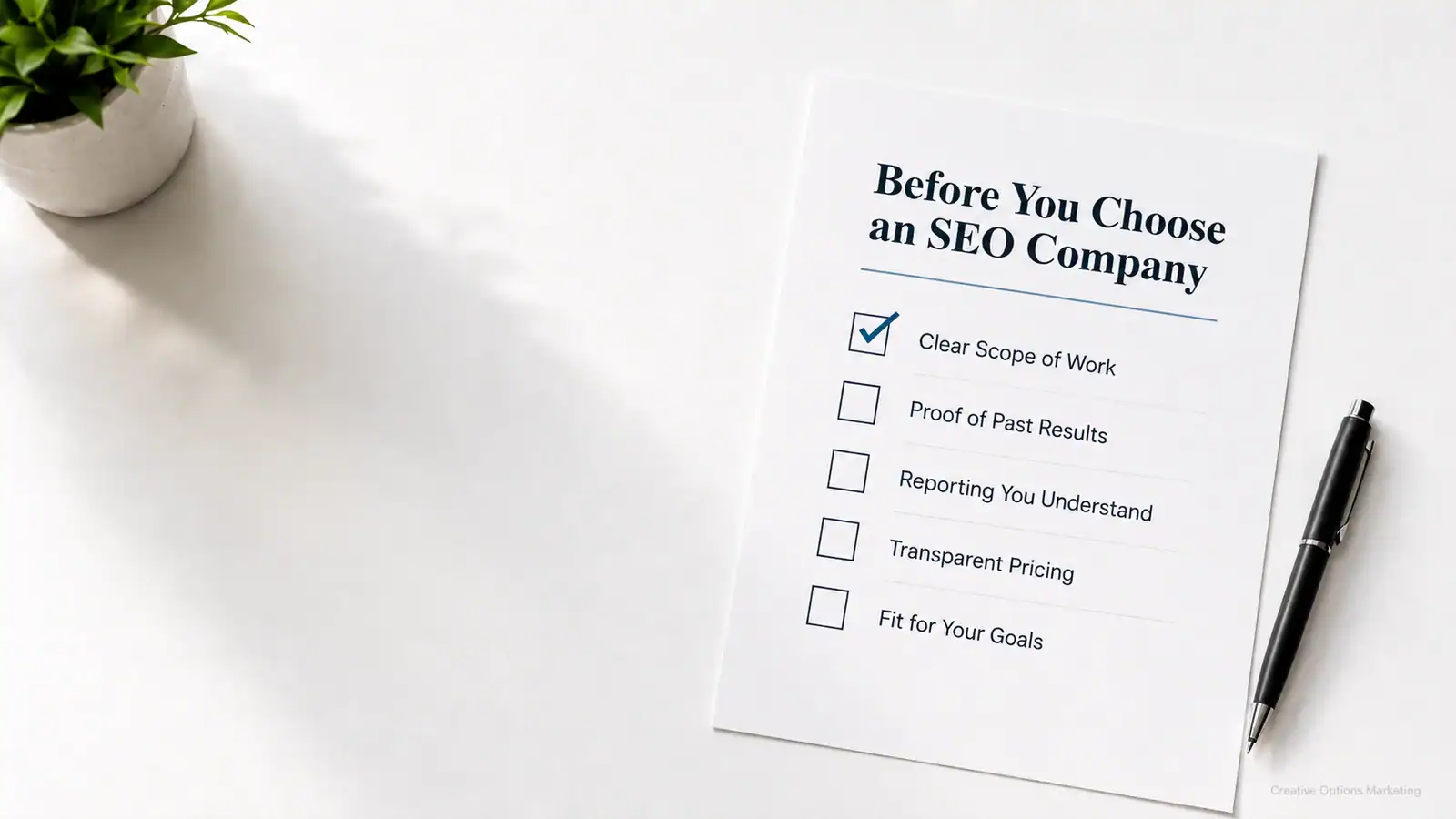
Before sending paid traffic to any page, use these landing page tips as a pre-launch checklist. If any item is missing, fix it before applying other landing page optimization tips or running paid traffic to the page.
Pre-Launch Landing Page Checklist
- Dedicated landing page (not your homepage)
- Headline matches your ad copy
- One clear CTA, repeated 2–3 times as visitors scroll
- Social proof placed above or immediately after the CTA
- No navigation menu or unrelated outbound links
- Page loads in under 3 seconds on mobile (check with Google PageSpeed Insights)
- CTA button visible without scrolling on a 375px mobile screen
- Conversion tracking active in GA4 before traffic runs
- Form fields reduced to the minimum needed to qualify the lead
05 / FAQ FAQ: Landing Page Tips
The best landing page tips all point to the same foundation: one clear goal, a headline that matches the visitor's intent, a specific CTA, social proof near the conversion point, and fast load time on mobile. Removing distractions (navigation menus, unrelated links, competing CTAs) consistently improves conversion rates more than adding new design elements.
As long as it takes to answer every question a visitor needs answered before they'll convert, and no longer. For simple offers (free consultation, free quote), 300–500 words is often enough. For higher-commitment offers (software purchases, premium services), longer pages that address objections and include proof points perform better. Follow the visitor's intent, not a word count target.
One primary CTA. You can repeat it two to three times as the visitor scrolls: near the top, mid-page after your proof section, and at the bottom. It should always be the same action. Multiple different CTAs compete for attention and reduce overall conversion rates.
The core principles are the same, but local pages convert better with neighborhood-level specificity. "Serving Cherry Creek, DTC, and the Greater Denver Metro" outperforms vague geographic claims. Tying your landing page to your Google Business Profile and matching the page to your GBP service areas also improves Quality Score for local campaigns and strengthens local pack signals.
A homepage is built for everyone. It introduces your brand, lists your services, and offers multiple paths. A landing page is built for one visitor with one goal. It has no navigation, one CTA, and every element on the page exists to move that visitor toward that single action. Send paid traffic to a landing page, never a homepage.
The most effective landing page tips start with diagnosis. Start with a CRO audit, the same approach we use when applying landing page tips to client pages. The most common culprits: headline doesn't match the traffic source, CTA is too vague, page loads slowly on mobile, or social proof is absent or poorly placed. Fix one element at a time and test the result before moving to the next change.
Yes, directly. Google evaluates landing page experience as part of Quality Score, which determines how much you pay per click and how often your ad shows. Relevant, fast, well-structured landing pages earn better Quality Scores, which lowers your cost per click and improves ad placement. A well-built landing page is a conversion tool that also reduces what you pay for the traffic itself.
Industry benchmark studies, including data from Unbounce's annual conversion report, often put average landing page conversion rates in the mid-single digits, but the number varies widely by traffic source, offer type, and industry. Email traffic tends to convert significantly higher than paid search or social. Rather than benchmarking against an industry average, focus on your own cost per lead and track improvement over time with each test.
Get More Leads From the Traffic You Already Have
Landing pages are where your marketing budget either pays off or leaks. Our Denver team reviews your actual pages as part of our digital marketing strategy engagements and tells you exactly what's costing you leads.
Request a Free Landing Page ReviewNo obligation. We'll identify your biggest conversion opportunity.